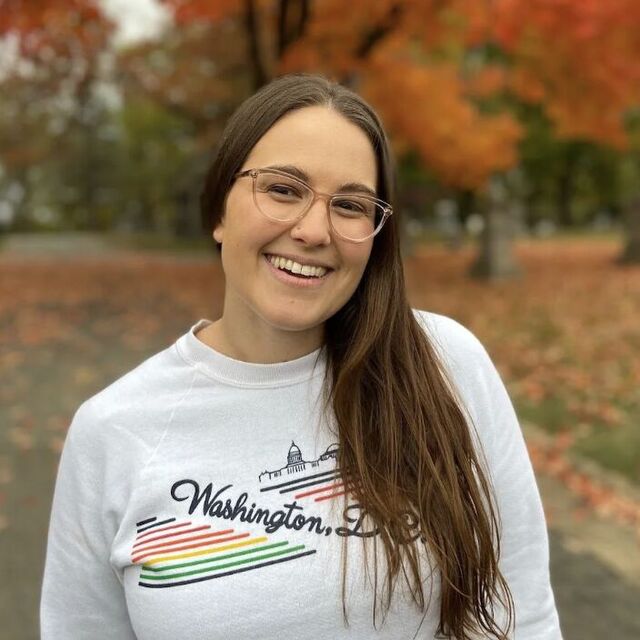
In this interactive session, participants will explore how to enhance student engagement through gamification using Canva AI. Teachers will learn how to design and implement game-based learning experiences that align with core content standards across subject areas. Through guided practice and hands-on creation time, participants will develop ready-to-use instructional games that can be immediately integrated into their classrooms.
Fernando Martinez – Digital Learning Coach, Nina Otero Community SchoolI am an educator with 13 years of experience in public education—8 of those years spent in the classroom as a teacher and the last 5 years serving as a Digital Learning Coach. Currently, I support staff and students at Nina Otero Community School. I work to integrate meaningful... Read More →
Hello, my name is Keri Slagoske. I am the Digital Learning Coach at Kearny and Sweeney Elementary Schools. In this role, I support teachers in integrating technology and best practices to enhance student engagement and learning. I hold a Bachelor of Science degree in Elementary Education... Read More →
This session is designed for educators of grades 3-5 to explore how Brisk Teaching can be utilized as a powerful ally in supporting multilingual learners. Participants will be given a functional understanding of AI-driven differentiation and time to create resources they can use in their classroom.
I am in my first year as a Digital Learning Coach at Santa Fe Public Schools, where I support educators in integrating technology to create engaging, student-centered learning experiences. Before joining Santa Fe, I taught Math and Science for 8 years and served as a STEM Coordinator... Read More →
Hello, my name is Zelda Sanchez. I’ve been part of Santa Fe Public Schools since 2009. I have taught kindergarten, 2nd, and 4th grade. I’m a National Board Certified teacher and am in my first year as a Digital Learning Coach at Amy Biehl and Gonzales Community Schools. I find... Read More →
Explore Newsela content and features to enhance your lessons and support student needs. Discover varied content types, instructional resources like leveled texts and engagement features such as Annotations, Quizzes, and Write Prompts.
Not all screen time is created equal. As schools and teachers across the country rethink device use and push back on passive tech, Edpuzzle offers a way to use its suite of tools so that students are actually doing something meaningful on their screens.
In this hands-on session, you'll learn how to use the full platform with intention by choosing the right format for the job and embedding purposeful questions that require thinking, not just clicking. We'll explore interactive videos that replace passive viewing, Quizzes that gamify formative assessment without turning it into a points chase, Slides that bring a lecture to life with embedded checks for understanding, Docs that deliver chunked, scaffolded reading with built-in accessibility supports, and Student Projects that shift students from consumers to creators. We'll also cover how to pair Edpuzzle with discussion, off-screen tasks, and small-group instruction, plus how to use real-time data to guide next steps. You'll leave with a ready-to-use lesson and a clear framework for deciding when an Edpuzzle is the right tool for the job—and when to put the screens away entirely.
Sarah Caffee brings 15 years of experience in education to her role as an Edpuzzle trainer. She has taught special education at both the elementary and high school levels, early math and literacy, and 9th grade history. Beyond the classroom, she has served as a high school principal... Read More →
High school students benefit from digital learning environments that are organized, intuitive, and designed to support increasing independence and responsibility. In this hands-on session, 9-12 teachers will explore effective strategies for building clear, student-centered Canvas/Open Access courses that improve navigation, communication, and engagement. Participants will examine ways to structure modules, streamline instructions, and design consistent course layouts that help students stay focused and accountable. Teachers will leave with practical templates, examples, and at least one revised module or page that can be immediately implemented to improve clarity and student access in their courses.
As an Education Technology Specialist, Katrina has 25 years of experience working with schools to achieve the goal of integrating technology into the curriculum. Katrina has a bachelor's degree in K-8 Education from Haskell University and a master's degree in Instructional Technologies... Read More →
I’m a Digital Learning Coach with over four years of experience helping teachers and staff integrate technology into their instruction and planning, and 8 years of teaching experience in middle school classrooms. With a background in science and technology education, I’m passionate... Read More →
Join us on a learning adventure as we explore how Universal Design for Learning (UDL) and the WCAG 2.1 accessibility guidelines can help create learning experiences where every student can thrive. Along the way, participants will discover how approved SFPS tools, including Read&Write, can support learners of all abilities, from multilingual students to those with disabilities or those who benefit from additional scaffolds. Through hands-on activities and guided exploration, educators will uncover practical strategies to expand access, boost engagement, and empower students to become more independent explorers in their own learning journey.
Aoife is an Educator and Learning Scientist from Dublin, Ireland, who was raised in Santa Fe, New Mexico. She brings her understanding of Universal Design for Learning, Project-Based Learning, and bilingual education to her role as a Digital Learning Coach with the Santa Fe Public... Read More →
Célangé Santiso Black is a Digital Learning Coach with Santa Fe Public Schools. She is a National Board Certified Teacher with 24 years of experience in elementary and middle school education and holds her Education Administration license in New Mexico. Outside of work, she loves... Read More →
How do we move from seeing accessibility as a "checklist" to embracing it as a core design principle? This hands-on session, grounded in the Universal Design for Learning (UDL) framework, moves beyond theory to explore the powerful, built-in features of Google Workspace and Chrome that level the playing field for every learner. You will engage in digital barrier simulations to build firsthand empathy for students with diverse visual, auditory, motor, and cognitive needs. After experiencing the challenges, you’ll master the solutions: from Live Captions to Voice Typing. Leave with a toolkit of simple shifts that move your classroom from basic compliance to true digital equity, ensuring every student has a flexible pathway to success.
AI and computer science are becoming an integral part of everyday life, yet students are increasingly "screened-out". Looking for a fresh approach? Transform computer science into a hands-on experience with LEGO® Education! Join us to see tactile, collaborative lessons you can use to build computer science skills and help students become responsible digital citizens. From kindergarten through eighth grade, LEGO® Education makes computer science approachable and safe. Join us to learn more.
Dr. Colleen Cannon-Ruffo brings more than two decades of firsthand experience using LEGO® Education solutions to her role as a Solution Architect. She works closely with districts to design learning experiences that align with their curricular goals and to equip teachers with the... Read More →
My passion is in helping educators integrate hands on, inquiry-based learning into their classrooms. My goal is to empower students to think creatively, collaborate effectively, and build real-world problem-solving skills. I began my teaching career in 1993 and have held many positions... Read More →
Thursday May 28, 2026 8:30am - 9:45am MDT 💡Imaginarium
In a world of notifications, fast-paced tech integration, and relentless digital demands, educators are being asked to teach from within systems that often leave their nervous systems overstimulated, dysregulated, and depleted. This session explores how digitally driven classrooms impact educator well-being at a physiological and emotional level, and how we can build more sustainable practices from the inside out.
Blending neuroscience, trauma-informed practice, and Human Sustainability principles, this session will guide participants in identifying how digital workflows, tech tools, and communication platforms contribute to chronic stress patterns. More importantly, it will offer concrete, doable strategies for creating calmer professional ecosystems, including sensory-aware tech routines, nervous system reset rituals, emotionally intelligent scheduling, and mindset shifts around digital urgency.
This session is about reclaiming emotional regulation, focus, and agency in a world that rewards constant connectivity. Educators will leave with actionable strategies and a renewed sense of what it means to teach well in a tech-rich environment.
Transform traditional classroom projects into engaging digital learning experiences in this hands-on workshop designed for 3rd–5th grade teachers. Participants will explore Adobe Express as a creative platform for amplifying student voice, creativity, and content understanding through multimedia projects. Using grade-level standards, teachers will design a ready-to-implement digital project that promotes creativity, collaboration, and meaningful learning. By the end of the session, participants will leave with classroom-ready resources, and a completed project they can use during the upcoming school year. Please bring your laptop.
As a Digital Learning Coach, I love helping teachers bring learning to life through purposeful use of technology. I support the incredible educators at Piñon Elementary and Acequia Madre School, collaborating on lessons that are engaging, creative, and student-focused. With 17 years... Read More →
Hello, my name is Keri Slagoske. I am the Digital Learning Coach at Kearny and Sweeney Elementary Schools. In this role, I support teachers in integrating technology and best practices to enhance student engagement and learning. I hold a Bachelor of Science degree in Elementary Education... Read More →
In a world of notifications, fast-paced tech integration, and relentless digital demands, educators are being asked to teach from within systems that often leave their nervous systems overstimulated, dysregulated, and depleted. This session explores how digitally driven classrooms impact educator well-being at a physiological and emotional level, and how we can build more sustainable practices from the inside out.
Blending neuroscience, trauma-informed practice, and Human Sustainability principles, this session will guide participants in identifying how digital workflows, tech tools, and communication platforms contribute to chronic stress patterns. More importantly, it will offer concrete, doable strategies for creating calmer professional ecosystems, including sensory-aware tech routines, nervous system reset rituals, emotionally intelligent scheduling, and mindset shifts around digital urgency.
This session is about reclaiming emotional regulation, focus, and agency in a world that rewards constant connectivity. Educators will leave with actionable strategies and a renewed sense of what it means to teach well in a tech-rich environment.
Middle school students thrive when digital learning spaces are simple, consistent, and easy to navigate. In this hands-on session, 6-8 teachers will explore practical strategies for designing student-centered Canvas/Open Access courses that reduce confusion, increase engagement, and support student independence. Participants will learn how to organize modules and create consistent layouts that help middle school learners focus on learning instead of searching for information. Teachers will leave with ready-to-use templates, examples, and at least one revised module or page they can immediately implement in their classroom.
As an Education Technology Specialist, Katrina has 25 years of experience working with schools to achieve the goal of integrating technology into the curriculum. Katrina has a bachelor's degree in K-8 Education from Haskell University and a master's degree in Instructional Technologies... Read More →
I’m a Digital Learning Coach with over four years of experience helping teachers and staff integrate technology into their instruction and planning, and 8 years of teaching experience in middle school classrooms. With a background in science and technology education, I’m passionate... Read More →
Enhance student accessibility and explore how Newsela supports High-Quality Instructional Materials (HQIM). Review the latest articles and platform features, and learn effective strategies for utilizing Newsela to facilitate student research.
Lets journey through a quick setup, live demos, and guided “Challenge Stations,” on Brisk’s core tools including instant lesson and quiz creation, powerful personalized feedback, student writing process insights, and differentiation at any reading level. Leave this session with ready-to-use resources, fresh ideas, and the confidence to make Brisk your go-to AI sidekick for the upcoming school year.
Hello, my name is Lynn Wasilewski and I have been with Santa Fe Public Schools for the past 30 years. I am currently a Digital Learning Coach at Capital High School, and a former teacher with 21 years in the classroom.
With over 20 years of experience across elementary and high school education, I focus on creating engaging, innovative learning opportunities that empower teachers and support student success. Outside of work, I enjoy playing guitar, watching football, hunting, and exploring trails... Read More →
Not all screen time is created equal. As schools and teachers across the country rethink device use and push back on passive tech, Edpuzzle offers a way to use its suite of tools so that students are actually doing something meaningful on their screens.
In this hands-on session, you'll learn how to use the full platform with intention by choosing the right format for the job and embedding purposeful questions that require thinking, not just clicking. We'll explore interactive videos that replace passive viewing, Quizzes that gamify formative assessment without turning it into a points chase, Slides that bring a lecture to life with embedded checks for understanding, Docs that deliver chunked, scaffolded reading with built-in accessibility supports, and Student Projects that shift students from consumers to creators. We'll also cover how to pair Edpuzzle with discussion, off-screen tasks, and small-group instruction, plus how to use real-time data to guide next steps. You'll leave with a ready-to-use lesson and a clear framework for deciding when an Edpuzzle is the right tool for the job—and when to put the screens away entirely.
Sarah Caffee brings 15 years of experience in education to her role as an Edpuzzle trainer. She has taught special education at both the elementary and high school levels, early math and literacy, and 9th grade history. Beyond the classroom, she has served as a high school principal... Read More →
How do we move from seeing accessibility as a "checklist" to embracing it as a core design principle? This hands-on session, grounded in the Universal Design for Learning (UDL) framework, moves beyond theory to explore the powerful, built-in features of Google Workspace and Chrome that level the playing field for every learner. You will engage in digital barrier simulations to build firsthand empathy for students with diverse visual, auditory, motor, and cognitive needs. After experiencing the challenges, you’ll master the solutions: from Live Captions to Voice Typing. Leave with a toolkit of simple shifts that move your classroom from basic compliance to true digital equity, ensuring every student has a flexible pathway to success.
AI doesn't have to be scary or overwhelming. Join us to explore safe, engaging ways to teach AI and machine learning in middle school classrooms. Through hands-on activities and standards-aligned lessons, you’ll experience how students can build and test simple AI models, analyze data, and understand the role of human decision-making in technology. Whether you’re new to AI or looking to expand your CS program, you’ll walk away with practical tools and approachable language to help students explore AI with confidence.
Dr. Colleen Cannon-Ruffo brings more than two decades of firsthand experience using LEGO® Education solutions to her role as a Solution Architect. She works closely with districts to design learning experiences that align with their curricular goals and to equip teachers with the... Read More →
My passion is in helping educators integrate hands on, inquiry-based learning into their classrooms. My goal is to empower students to think creatively, collaborate effectively, and build real-world problem-solving skills. I began my teaching career in 1993 and have held many positions... Read More →
Thursday May 28, 2026 10:00am - 11:15am MDT 💡Imaginarium
This session will explore Skill Struck's age-appropriate, engaging, and ethical AI Literacy course. For grades K-2, the Introduction to AI course helps young learners understand AI through hands-on and group activities that build critical thinking and awareness of AI’s role in daily life.
Students do NOT use AI in this course, they simply start learning about it so they can start to think critically about it.
This session will explore Skill Struck's age-appropriate, engaging, and ethical AI course. For grades 3-5, the Foundations of AI course helps students explore machine learning, data, and ethics while understanding how AI is used in the real world. Students investigate how computers see, hear, and make decisions, and they train simple models using labeled data. Through hands-on activities, students also explore how AI handles ambiguity of language and context to better understand the decision-making process. The course encourages critical thinking about bias and how AI affects their world.
Not all screen time is created equal. As schools and teachers across the country rethink device use and push back on passive tech, Edpuzzle offers a way to use its suite of tools so that students are actually doing something meaningful on their screens.
In this hands-on session, you'll learn how to use the full platform with intention by choosing the right format for the job and embedding purposeful questions that require thinking, not just clicking. We'll explore interactive videos that replace passive viewing, Quizzes that gamify formative assessment without turning it into a points chase, Slides that bring a lecture to life with embedded checks for understanding, Docs that deliver chunked, scaffolded reading with built-in accessibility supports, and Student Projects that shift students from consumers to creators. We'll also cover how to pair Edpuzzle with discussion, off-screen tasks, and small-group instruction, plus how to use real-time data to guide next steps. You'll leave with a ready-to-use lesson and a clear framework for deciding when an Edpuzzle is the right tool for the job—and when to put the screens away entirely.
Sarah Caffee brings 15 years of experience in education to her role as an Edpuzzle trainer. She has taught special education at both the elementary and high school levels, early math and literacy, and 9th grade history. Beyond the classroom, she has served as a high school principal... Read More →
Grade 6–8 teachers are invited to tune in and turn up the volume on classroom podcasting! In this session, we’ll explore the nuts, bolts, buttons, cords, and occasional mysterious blinking lights behind student podcast projects. Participants will get an overview of practical podcasting equipment, easy-to-use apps, recording tips, and classroom-friendly workflows that make audio storytelling manageable, even if you don’t know your mic from your headphone jack. Whether your students are creating history debates, science explainers, book reviews, or the next smash-hit middle school talk show, this session will help you get started without needing a professional recording studio (or a radio voice). Come ready to learn, laugh, and maybe accidentally say “You’re on mute” at least once.
I started my journey as an educator as a middle school science teacher. I had so much fun using different technologies in the classroom that a transition to digital learning coach was was inevitable. In the 7 years I've been a DLC I've enjoyed learning alongside teachers and students... Read More →
I am in my first year as a Digital Learning Coach at Santa Fe Public Schools, where I support educators in integrating technology to create engaging, student-centered learning experiences. Before joining Santa Fe, I taught Math and Science for 8 years and served as a STEM Coordinator... Read More →
Thursday May 28, 2026 12:30pm - 1:45pm MDT 📚 Library
In a world of notifications, fast-paced tech integration, and relentless digital demands, educators are being asked to teach from within systems that often leave their nervous systems overstimulated, dysregulated, and depleted. This session explores how digitally driven classrooms impact educator well-being at a physiological and emotional level, and how we can build more sustainable practices from the inside out.
Blending neuroscience, trauma-informed practice, and Human Sustainability principles, this session will guide participants in identifying how digital workflows, tech tools, and communication platforms contribute to chronic stress patterns. More importantly, it will offer concrete, doable strategies for creating calmer professional ecosystems, including sensory-aware tech routines, nervous system reset rituals, emotionally intelligent scheduling, and mindset shifts around digital urgency.
This session is about reclaiming emotional regulation, focus, and agency in a world that rewards constant connectivity. Educators will leave with actionable strategies and a renewed sense of what it means to teach well in a tech-rich environment.
Stop searching and start discovering! In this high-impact session for 9–12 educators, you’ll learn how to use NotebookLM as your personal research assistant. You can use this powerful AI tool to instantly synthesize complex instructional materials, from dense primary source documents and scientific journals to AP curriculum frameworks and lengthy literature.
Learn how to create digital notebooks that generate instant study guides, FAQ sheets, and even AI-generated audio overviews based on your specific classroom materials. Discover how to use NotebookLM to find hidden connections across your units and draft high-level discussion prompts that challenge your students’ critical thinking. You’ll leave with a Source-First workflow that saves you hours of prep and turns your most complex academic documents into ready-to-use classroom resources.
Explore Newsela content and features to enhance your lessons and support student needs. Discover varied content types, instructional resources like leveled texts and engagement features such as Annotations, Quizzes, and Write Prompts.
This introductory Lumio session gives educators a concise, hands-on overview of creating interactive, engaging digital lessons. Participants will explore key features like game-based activities, collaborative tools, and formative assessments while experiencing Lumio from both teacher and student perspectives. By the end, they gain practical strategies and a ready-to-use activity to immediately bring dynamic, student-centered learning into their classrooms. Be sure to bring your own device!
Hang Le joined SMART Technologies after 12 years in public education. She serves as the Education Solutions Consultant for the central and west regions of Texas as well as the state of New Mexico and Louisiana. She has a Master's degree in Educational Leadership and has supported... Read More →
Thursday May 28, 2026 12:30pm - 1:45pm MDT 🎵 Music Room
With 25 years of educational experience, I currently serve as the Co-Director for NMSU-CORE, a non-profit dedicated to educators and students. My journey spans roles as an early childhood and inclusion teacher, plus 12 years as an instructional coach. I specialize in language acquisition... Read More →
Digital Learning Coach Lead, Santa Fe Public Schools
I have ten years of coaching experience at Santa Fe Public Schools, including six years as a Digital Learning Coach (DLC). I am currently serving as the DLC Lead where I support site-based DLCs through one-on-one coaching, mentorship, and professional development to strengthen digital... Read More →
Every student has a story and this session is all about helping them share it. Participants will explore how digital storytelling can bring learning to life while supporting student voice and making thinking visible. You’ll see how this work fits naturally into what you already teach, explore engaging digital tools, and get hands-on time to create your own short project. You’ll leave with practical ideas and strategies you can use right away in your classroom.
Lisa Corrao is a Digital Learning Coach for Santa Fe Public Schools, where she currently supports educators at El Dorado Community School and Salazar Elementary. She brings a rich background in education, holding a Bachelor’s degree in Elementary Education, a Master’s in Library... Read More →
Hello, my name is Zelda Sanchez. I’ve been part of Santa Fe Public Schools since 2009. I have taught kindergarten, 2nd, and 4th grade. I’m a National Board Certified teacher and am in my first year as a Digital Learning Coach at Amy Biehl and Gonzales Community Schools. I find... Read More →
Ozobots are powerful classroom tools because they turn lessons into memorable, hands-on learning experiences that engage students of all ages and abilities—students program small, portable robots with color-coded paths to practice skills like phonics, vocabulary, and problem-solving rather than passively completing worksheets. Beyond student engagement, Ozobots are easy to store and set up, supported by standards-aligned lesson libraries and teacher guides, and useful for formative assessment through observation of student-created tracks and programs. The session covers Ozobot basics (how they work and color coding), where to find and adapt high-quality lesson plans, practical cross-curricular activity examples, classroom management and differentiation strategies, and hands-on demos and troubleshooting so teachers leave with concrete, classroom-ready strategies to integrate Ozobots and boost engagement and learning.
I have worked with the Santa Fe Public Schools in the Technology Department for 30 years, with the last five years focused on my role as a Digital Learning Coach. My work centers on partnering with teachers to explore and implement technology tools that enrich classroom instruction... Read More →
I am a passionate educator and learning coach with 26 years of experience in K–8 teaching and instructional coaching. My heart is in project-based learning, where I strive to foster enduring understanding and spark imagination in every classroom I enter.Driven by a love for data... Read More →
Google Vids is a powerful classroom tool that turns traditional presentations into engaging, visually appealing videos students enjoy creating. Built in the familiar Google Workspace format, it is easy for students—even as early as 3rd grade—to learn and use confidently. In this course, teachers will learn the basics of Google Vids by creating their own 2026–27 school year introduction video while exploring ways students can use video to share learning through creativity, storytelling, and collaboration.
I have worked with the Santa Fe Public Schools in the Technology Department for 30 years, with the last five years focused on my role as a Digital Learning Coach. My work centers on partnering with teachers to explore and implement technology tools that enrich classroom instruction... Read More →
I am a passionate educator and learning coach with 26 years of experience in K–8 teaching and instructional coaching. My heart is in project-based learning, where I strive to foster enduring understanding and spark imagination in every classroom I enter.Driven by a love for data... Read More →
Every student has a story and this session is all about helping them share it. Participants will explore how digital storytelling can bring learning to life while supporting student voice and making thinking visible. You’ll see how this work fits naturally into what you already teach, explore engaging digital tools, and get hands-on time to create your own short project. You’ll leave with practical ideas and strategies you can use right away in your classroom.
Lisa Corrao is a Digital Learning Coach for Santa Fe Public Schools, where she currently supports educators at El Dorado Community School and Salazar Elementary. She brings a rich background in education, holding a Bachelor’s degree in Elementary Education, a Master’s in Library... Read More →
Hello, my name is Zelda Sanchez. I’ve been part of Santa Fe Public Schools since 2009. I have taught kindergarten, 2nd, and 4th grade. I’m a National Board Certified teacher and am in my first year as a Digital Learning Coach at Amy Biehl and Gonzales Community Schools. I find... Read More →
This session will explore Skill Struck's age-appropriate, engaging, and ethical AI courses. For grades 6-8, the Explorations of AI equips students with essential knowledge of AI technologies, data, and ethics to help them navigate the world of AI.
Grade 6–8 teachers are invited to tune in and turn up the volume on classroom podcasting! In this session, we’ll explore the nuts, bolts, buttons, cords, and occasional mysterious blinking lights behind student podcast projects. Participants will get an overview of practical podcasting equipment, easy-to-use apps, recording tips, and classroom-friendly workflows that make audio storytelling manageable, even if you don’t know your mic from your headphone jack. Whether your students are creating history debates, science explainers, book reviews, or the next smash-hit middle school talk show, this session will help you get started without needing a professional recording studio (or a radio voice). Come ready to learn, laugh, and maybe accidentally say “You’re on mute” at least once.
I am in my first year as a Digital Learning Coach at Santa Fe Public Schools, where I support educators in integrating technology to create engaging, student-centered learning experiences. Before joining Santa Fe, I taught Math and Science for 8 years and served as a STEM Coordinator... Read More →
I started my journey as an educator as a middle school science teacher. I had so much fun using different technologies in the classroom that a transition to digital learning coach was was inevitable. In the 7 years I've been a DLC I've enjoyed learning alongside teachers and students... Read More →
Thursday May 28, 2026 2:00pm - 3:15pm MDT 📚 Library
Enhance student accessibility and explore how Newsela supports High-Quality Instructional Materials (HQIM). Review the latest articles and platform features, and learn effective strategies for utilizing Newsela to facilitate student research.
In a world of notifications, fast-paced tech integration, and relentless digital demands, educators are being asked to teach from within systems that often leave their nervous systems overstimulated, dysregulated, and depleted. This session explores how digitally driven classrooms impact educator well-being at a physiological and emotional level, and how we can build more sustainable practices from the inside out.
Blending neuroscience, trauma-informed practice, and Human Sustainability principles, this session will guide participants in identifying how digital workflows, tech tools, and communication platforms contribute to chronic stress patterns. More importantly, it will offer concrete, doable strategies for creating calmer professional ecosystems, including sensory-aware tech routines, nervous system reset rituals, emotionally intelligent scheduling, and mindset shifts around digital urgency.
This session is about reclaiming emotional regulation, focus, and agency in a world that rewards constant connectivity. Educators will leave with actionable strategies and a renewed sense of what it means to teach well in a tech-rich environment.
This advanced Lumio session dives deeper into the platform’s full capabilities, guiding educators through more sophisticated features while providing dedicated time for lesson creation. Participants explore enhanced tools for differentiation, assessment, and student collaboration, while learning best practices for designing cohesive, interactive lessons. With hands-on support throughout, educators will be able to build or refine their own Lumio activities, leaving with ready-to-deliver lessons and the confidence to leverage Lumio more strategically in their instruction. Don't forget to bring your own device!
Hang Le joined SMART Technologies after 12 years in public education. She serves as the Education Solutions Consultant for the central and west regions of Texas as well as the state of New Mexico and Louisiana. She has a Master's degree in Educational Leadership and has supported... Read More →
Thursday May 28, 2026 2:00pm - 3:15pm MDT 🎵 Music Room
Digital Learning Coach Lead, Santa Fe Public Schools
I have ten years of coaching experience at Santa Fe Public Schools, including six years as a Digital Learning Coach (DLC). I am currently serving as the DLC Lead where I support site-based DLCs through one-on-one coaching, mentorship, and professional development to strengthen digital... Read More →
With 25 years of educational experience, I currently serve as the Co-Director for NMSU-CORE, a non-profit dedicated to educators and students. My journey spans roles as an early childhood and inclusion teacher, plus 12 years as an instructional coach. I specialize in language acquisition... Read More →
How do we empower our youngest learners to share their thinking before they’ve mastered the keyboard? Join this hands-on session designed to make Google Workspace work for the K–2 classroom! Discover how the all-new Google Vids provides a simple, "no-friction" way for students and teachers to create video stories and reading fluency checks in just a few clicks.
We’ll also dive into Google Slides power moves for teachers: learn how to enhance your lessons with integrated audio and turn your slides into a dynamic teaching tool using the built-in pen and laser pointer features. You’ll leave with practical, low-prep creative strategies to make your daily routines more visual, interactive, and accessible for every little learner.
Not all screen time is created equal. As schools and teachers across the country rethink device use and push back on passive tech, Edpuzzle offers a way to use its suite of tools so that students are actually doing something meaningful on their screens.
In this hands-on session, you'll learn how to use the full platform with intention by choosing the right format for the job and embedding purposeful questions that require thinking, not just clicking. We'll explore interactive videos that replace passive viewing, Quizzes that gamify formative assessment without turning it into a points chase, Slides that bring a lecture to life with embedded checks for understanding, Docs that deliver chunked, scaffolded reading with built-in accessibility supports, and Student Projects that shift students from consumers to creators. We'll also cover how to pair Edpuzzle with discussion, off-screen tasks, and small-group instruction, plus how to use real-time data to guide next steps. You'll leave with a ready-to-use lesson and a clear framework for deciding when an Edpuzzle is the right tool for the job—and when to put the screens away entirely.
Sarah Caffee brings 15 years of experience in education to her role as an Edpuzzle trainer. She has taught special education at both the elementary and high school levels, early math and literacy, and 9th grade history. Beyond the classroom, she has served as a high school principal... Read More →